AI for WhatsApp Business & Small Business Quotes (2026)
Adopt a Hybrid Human-in-the-Loop (HITL) WhatsApp Business workflow instead of an unsupervised bot: audit 90 days of chats to isolate your top 20 questions, draft itemized quotes from approved price lists for human sign-off, escalate refunds and complaints fast, and protect customer personal data under Meta's Commerce Policy.
Jump to a section
- Hybrid Human-in-the-Loop WhatsApp vs Unsupervised AI Bots
- WhatsApp Commerce Policy Limits and 24-Hour Messaging Windows
- Fast Structured Quote Drafting Without Hallucinated Discounts
- Escalation Triggers for Refunds, Complaints, and Payment Reminders
- Customer Data Privacy Boundaries and Redaction in AI Chats
Hybrid Human-in-the-Loop WhatsApp vs Unsupervised AI Bots
Leaving an unsupervised chatbot alone on your company WhatsApp number is the fastest way to hallucinate a 50% discount or anger a loyal buyer. A Hybrid Human-in-the-Loop workflow lets AI triage intents and draft replies while staff approve pricing, refunds, and sensitive judgment calls.
Nothing tests small-business loyalty faster than an autonomous bot cheerfully replying ‘Great question, I totally understand!’ to a customer whose delivery arrived soaked in the rain. When buyers message a local shop, they want a concrete answer, not synthetic enthusiasm.
Field evidence proves why copilot-style assistance beats full autopilot. A peer-reviewed study of 5,172 support agents by economists Erik Brynjolfsson, Danielle Li, and Lindsey Raymond found that real-time AI suggestions raised resolved issues per hour by 15% on average.
Crucially, the biggest gains went to newer staff handling unfamiliar edge cases, while customers became more polite and escalated to managers less often. Human agents stayed in charge of final decisions, using AI to pull policies and draft crisp wording.
 HubSpot Marketing 3:18
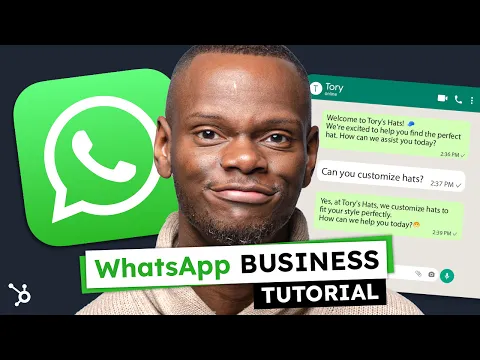
Before spending money on third-party bot software, organize WhatsApp Business fundamentals first. Set up native product catalogs, quick replies, short links, and funnel labels such as Quote Sent or Needs Owner Review before adding external AI.
| Workflow Layer | Hybrid Human-in-the-Loop (Recommended) | Unsupervised Autonomous Bot | Policy & Operational Reality |
|---|---|---|---|
| Top 20 Routine FAQs | AI drafts hours, delivery zones, and catalog specs for one-click agent check | Bot fires unreviewed answers directly from loose web text | Top 20 questions typically drive ~80% of inbox volume |
| Quotes & Discounts | Human matches SKU prices from sheet; AI formats clean summary | Risk of hallucinated bundles, wrong stock, or unauthorized discounts | Merchant remains solely liable for advertised pricing and terms |
| Refunds & Angry Chats | Sentiment triage routes instantly to senior staff with chat context | Loops generic apologies until user blocks or reports the number | WhatsApp mandates prompt, direct human escalation paths |
| Monthly Cost Fit | Starts at $0 using native tools plus a $20/mo editor workspace | Per-resolution fees ($0.50 to $2.00) plus CRM seat add-ons | Keeps unit economics predictable on tight SMB margins |
Intercom’s benchmark puts automated AI resolutions at $0.50 to $2.00 per interaction, which makes zero financial sense on low-ticket local orders until volume tops roughly 50 inquiries a day. Starting hybrid on WhatsApp Business App ($0) plus a standard $20/month AI editor keeps margins intact.
If your team has never systematized AI prompts before, start with our guide to building a simple daily AI routine before adding paid bots. You can also compare $0 free AI tiers and data privacy toggles across ChatGPT, Claude, and Gemini before paying for business integrations.
WhatsApp Commerce Policy Limits and 24-Hour Messaging Windows
Even the smartest prompt gets your business number restricted if your messages violate Meta’s rules. Selling over chat requires respecting the WhatsApp Business Commerce Policy, keeping strict recipient opt-in proof, honoring the 24-hour customer service window, and avoiding unsupervised outbound spam blasts.
Many owners treat WhatsApp like a free email list and export old spreadsheet numbers for Friday promo blasts. That habit triggers rapid user blocks and account reviews because Meta enforces explicit opt-in permission before any business-initiated message.
Two distinct rulebooks apply simultaneously whenever a shop takes orders or shares links in chat:
- Commerce & Catalog prohibitions: Per Meta’s WhatsApp Business Policy and the Meta Commerce Policy Center, every Catalog listing or sales offer on WhatsApp must exclude prohibited and restricted items—even free giveaways—or risk catalog rejection and account action.
- Sole merchant legal & tax duty: Meta explicitly states that businesses are solely responsible for providing sales terms, privacy notices, fulfillment, and collecting, reporting, and remitting every applicable tax or fee.
- The rolling 24-hour customer service window: According to Twilio’s WhatsApp Key Concepts guide, each inbound message from a buyer opens or resets a 24-hour window where free-form replies are allowed.
- Template lock after 24 hours: Once 24 hours pass without a customer reply, you can only reopen the thread using a pre-approved Message Template, and CRM tools like HubSpot’s WhatsApp Inbox integration enforce shared monthly quotas such as 1,000 templates per month.
To identify which topics deserve pre-approved templates versus quick replies inside the 24-hour window, follow Intercom’s customer service implementation playbook and audit 90 days of chat history. Grouping past tickets normally shows the top 20 question types represent 80% of message volume.
Think of the clock concretely: if a buyer messages at 10:00 AM Tuesday asking about bulk boxes, your team has until 10:00 AM Wednesday to send free-form AI-assisted clarifications. Missing that deadline forces an approved template follow-up and honoring opt-outs immediately protects your sender reputation.
Audit 90 days of WhatsApp chats into 3 strict triage buckets
Export 90 days of anonymized inquiry topics (zero customer phone numbers or names) to split routine FAQs, human-checked quotes, and mandatory escalations before automating anything.
Group this anonymized list of customer questions from the last 90 days into 3 tables: 1) Top 20 Fixed FAQs (hours, delivery radius, standard specs), 2) Structured Quote Requests needing stock or price-table lookup, and 3) Sensitive Escalations (refunds, angry complaints, custom volume discounts). Flag any question missing a documented company policy.Fast Structured Quote Drafting Without Hallucinated Discounts
Customers on WhatsApp rarely send neat bullet points—they send three fragmented texts and a 70-second voice note recorded in traffic. Pairing an accurate internal price table with a constrained AI quote formatter produces clean itemized estimates in under 60 seconds while blocking invented discounts.
Before letting AI summarize a single price, clean the source table first. An outdated CSV with mixed currencies or blank shipping tiers causes more quoting errors than any language model ever could, so clean messy product price sheets and customer logs without formulas before uploading.
Keep your structured quote workflow strictly grounded in three human checkpoints:
- Tie quotes to Catalog SKUs: Mirror exact product names, package quantities, and lead times from your WhatsApp Business Catalog so buyers see matching figures in chat.
- Use explicit discount lock instructions: Never tell a general model to ‘make a competitive offer’; require it to output
[NEEDS HUMAN PRICING CHECK]whenever a requested item or custom discount falls outside your sheet. - Draft in side-by-side workspaces: Build a reusable quote project so staff paste voice transcripts alongside fixed pricing rules—read how to organize repeatable quote templates inside side-by-side AI workspaces for consistent formatting.
When a B2B buyer requests a full quarterly proposal after accepting an initial WhatsApp estimate, reuse those verified scope notes to turn complex client discovery calls into structured proposal slide decks instead of starting from scratch.
For chaotic WhatsApp voice memos or forwarded supplier photos, convert the audio transcript into clean line items first, match delivery zip codes to your shipping tiers, and state exact payment options upfront. Clear breakdown bullets eliminate three back-and-forth clarifications about hidden freight or installation timelines.
Draft an itemized WhatsApp quote strictly from an approved price list
Paste the anonymized customer request (or transcribed voice note) alongside your exact SKU table so AI formats a scannable WhatsApp estimate without guessing totals or inventing promos.
Draft a concise, friendly WhatsApp quote using ONLY the Approved Price Table below. Include: item name, unit price, quantity, subtotal, lead time, payment methods, and a 7-day quote validity line. If any item, delivery zone, or discount requested by the customer is not in the table, print [NEEDS HUMAN PRICING CHECK] instead of guessing. Ask 1 short question to close the order.Always require the sales rep to verify the grand total with a quick calculator check before hitting Send. Five seconds of arithmetic verification beats honoring a phantom two-for-one typo screenshot on Monday morning.
Escalation Triggers for Refunds, Complaints, and Payment Reminders
Every effective WhatsApp AI workflow needs an automatic eject button built in from day one. Routing refund demands, negative sentiment messages, and non-standard contract negotiations straight to a human owner—while guarding automated payment follow-ups with live processing checks—protects profit margins and obeys platform rules.
Meta’s messaging policy explicitly prohibits trapping users inside an endless bot loop. Businesses using automation inside the 24-hour window must maintain prompt, clear, direct escalation channels such as in-chat human transfer, phone, email, or a support form.
According to Zapier’s AI triage and routing framework, natural language classification combined with sentiment detection flags urgent intent and frustrated tone the second a message arrives. Pair that sentiment signal with Intercom’s four mandatory handoff criteria:
- Refunds, chargebacks, and damaged goods: Bypass automated FAQs immediately whenever words like refund, broken, cancel, or wrong item appear.
- Custom pricing and bulk discounts: Route multi-unit negotiations or custom delivery guarantees to the business owner or sales lead, passing full chat history and customer profile notes along.
- Emotional or high-stakes urgency: Any message carrying frustration, missed-deadline stress, or legal threats requires immediate empathy and human authority.
- Two failed bot turns: If a customer replies “agent” or asks the same clarifying question twice, transfer silently with zero defensive chatter.
Payment follow-ups deserve the same discipline. When sending polite pre-due, due-date, or overdue reminders via billing software like Stripe’s automatic invoice collection, verify that reminders automatically skip whenever a bank transfer or card payment is already processing so you never nag a buyer who already paid.
Generate a structured human handoff brief and polite reminder rules
When a chat trips an escalation rule, summarize the exact issue in 4 lines for your teammate so the customer never has to repeat themselves from line one.
Summarize this anonymized chat thread for a human owner taking over now. Output 4 lines only: 1) Customer Intent and Sentiment (Calm / Frustrated / Urgent), 2) Verified Order or Quote Facts, 3) Exact Escalation Trigger (Refund / Custom Discount / Complaint), and 4) Recommended Next Reply Draft. Keep facts strictly inside the thread text.For polite collections, keep a three-step cadence: a friendly heads-up two days before the due date, a brief link on the due date, and a helpful check-in three days late asking if an expired payment link or card hold got in the way. Automated tagging ensures those reminders stop the moment that payment clears.
Customer Data Privacy Boundaries and Redaction in AI Chats
Pasting unredacted phone numbers, billing addresses, payment confirmations, and tax details into a personal free chatbot creates an instant compliance liability. Clear privacy notices and a quick redaction routine keep small businesses aligned with regional data protection laws and Meta merchant terms.
WhatsApp Business policies obligate merchants to honor local data privacy laws in every market where they chat with buyers. Under Meta’s WhatsApp Business Messaging Policy, merchants remain responsible for transparent customer consent, published privacy terms, and minimizing unnecessary data exposure across support workflows.
Intercom’s vendor evaluation checklist urges every team adopting AI support tools to verify hallucination controls, personal data masking, and whether third-party model providers retain conversation logs for training. Non-technical shop owners can apply three concrete safeguards today:
- Scrub personal identifiers before pasting: Strip full names, phone numbers, email addresses, government or tax IDs, street addresses, and payment screenshots into placeholders like
[Customer 04]before using consumer AI chat tabs. - Disable model training or use governed plans: Keep customer support drafting inside workspaces that disable training on business chats, or isolate raw client data strictly inside your vetted CRM inbox.
- Publish visible privacy and opt-out rules: Include a simple link to your sales and privacy policy on your WhatsApp Business profile and process
STOPor opt-out replies right away.
Add one 15-minute Friday quality audit: sample ten AI-assisted quotes and escalations sent that week, verify zero customer tax IDs or phone numbers entered consumer chats, and tighten any rigid wording. Small corrections compound weekly without turning support into an IT project.
Messaging rules, WhatsApp Business pricing, and privacy enforcement evolve regularly across Meta and major AI platforms. You can track policy changes and WhatsApp AI pricing updates in our news hub or review our primary-source editorial verification standards to see how every requirement in this workflow was checked.
Frequently asked questions
Should a small business use a fully automated AI chatbot on WhatsApp Business?
No. Unsupervised chatbots frequently invent discounts, misunderstand local delivery rules, or trap upset buyers in frustrating loops—violating WhatsApp Business escalation rules. A Hybrid Human-in-the-Loop setup lets AI categorize intents, summarize voice notes, and draft replies against fixed sheets while staff review prices, refunds, and exceptions.
What does WhatsApp's 24-hour customer service window mean for AI replies?
Every inbound message from a customer opens or resets a 24-hour customer service window during which your business can send free-form or AI-assisted responses. Once 24 hours elapse after the buyer's last message, you can only message them again using a Meta-approved Message Template, subject to CRM quotas like HubSpot's 1,000 templates/month cap.
How do I stop AI from hallucinating fake prices or discounts in WhatsApp quotes?
Never ask a chatbot to invent a deal from memory. Clean your SKU price sheet first, mirror products in your WhatsApp Business Catalog, prompt the AI to use ONLY the pasted approved table and output [NEEDS HUMAN PRICING CHECK] for missing items, and check the final total manually before clicking Send.
Which WhatsApp messages should immediately escalate from AI to a human?
Route refund requests, damaged or wrong deliveries, angry or frustrated sentiment flags, custom bulk pricing negotiations, and any conversation where a buyer asks for an agent or fails two automated turns directly to a human teammate with a four-line context summary.
Can I paste customer WhatsApp chats and payment details into free AI tools?
Never paste raw personal identifiers—names, phone numbers, street addresses, government tax IDs, or payment receipts—into free consumer chatbots that may retain logs. Replace identifying details with placeholders like [Customer 04] first, publish privacy terms on your WhatsApp profile, and disable training on chats or use a vetted CRM workspace.