Best Free AI Tools in 2026: Practical Everyday Comparison
You do not need paid AI subscriptions for most daily tasks in 2026: pairing one free conversational assistant (ChatGPT, Claude, or Google Gemini) with one grounded research tool (Perplexity or NotebookLM) covers writing, live web lookup, and private PDF study at $0 while keeping your personal data under control.
Jump to a section
- Which Everyday Task Each Major AI Assistant Wins in 2026
- Why Public Benchmarks Fool Buyers and How to Test Tools on Your Own Work
- Free Plan Limits vs Paid Upgrades Across All Six Platforms
- Step-by-Step Routine to Stack Two Free Accounts Without Paying
- Privacy Defaults and Model Training Controls on Consumer Accounts
- Common Mistakes That Waste Free Quotas and How to Stay Current
Which Everyday Task Each Major AI Assistant Wins in 2026
Instead of signing up for every hyped app on your feed, non-technical users get better results by matching six proven assistants to distinct jobs: ChatGPT for checklists, Claude for natural prose, Gemini for large media, Perplexity for cited search, NotebookLM for study, and Copilot for Office.
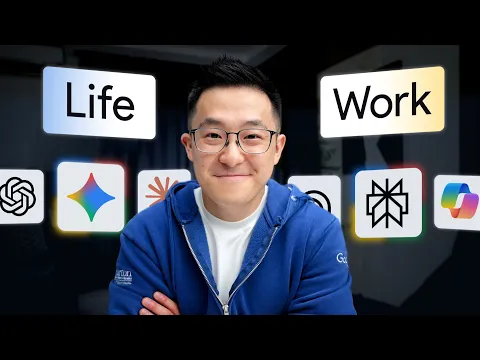 Jeff Su 0:47
Most beginners keep a single chatbot tab open for everything from dinner recipes to lease reviews. When that tab invents a nonexistent deadline or rewrites an apology email like a corporate press release, they blame themselves instead of switching tools.
Empirical tracking in Stanford HAI’s 2025 AI Index Report confirms that top models now converge closely in quality, making live search versus private file routing far more important than hype. If you are setting up your stack this week, first build a calm starting routine without AI FOMO before juggling six apps.
As productivity educator Jeff Su demonstrates in the segment above, each frontier tool already has a clear specialty. Respecting those boundaries matters far more than memorizing model codenames that change every quarter.
| AI Tool | Best Everyday Task | Free Tier Limit & Paid Upgrade | Privacy & Data Training Rule |
|---|---|---|---|
| ChatGPT (OpenAI) | Multi-step instructions, voice chat, and quick file checks | Free usage-capped tier; Go $8/mo; Plus $20/mo | Opt out manually under “Data Controls” or open “Temporary Chat” |
| Claude (Anthropic) | Natural emails, tone matching, and interactive Artifacts | Free rolling 5-hour and weekly caps; Pro $20/mo ($17/mo annual) | Toggle off model-improvement sharing in consumer privacy settings |
| Google Gemini | Long video or audio files, Gmail lookups, mobile voice | Free personal Google tier; Google AI Plus & Pro bundles | Sampled chats may undergo human review when “Keep Activity” is on |
| Perplexity | Live web lookups with clickable source citations | Unlimited quick cited search + capped daily Deep Research; Pro $20/mo | Designed for public web search; never paste private records |
| NotebookLM (Google) | Studying your own PDFs, contracts, manuals, and notes | Generous $0 quota included with any personal Google account | Answers strictly from your uploads; no direct model training |
| Microsoft Copilot | Windows sidebar help and native Word or Excel drafts | Free web chat; Microsoft 365 Premium $19.99/mo | Consumer accounts require disabling training in Microsoft privacy controls |
- ChatGPT (OpenAI): Best all-around generalist when a prompt carries five rigid constraints—like planning a budget trip, auditing an agenda, or checking an uploaded spreadsheet—because it pairs vision, web search, and file tools smoothly.
- Claude (Anthropic): Strongest first-draft writer for delicate client emails, cover letters, and plain-English summaries, plus interactive visual checklists via free Artifacts.
- Google Gemini: Unmatched when handling a 50-minute lecture recording, long audio memo, or heavy document pack that hits attachment ceilings elsewhere.
- Perplexity & NotebookLM: Your fact-checking pair—ask Perplexity for current web facts, and follow Google’s official NotebookLM grounding guide when studying private PDFs so answers stay locked to your files.
- Microsoft Copilot: Convenient for Windows households and office teams seeking drafting directly inside Word, Excel, and Outlook through Microsoft Copilot plans for individuals.
Why Public Benchmarks Fool Buyers and How to Test Tools on Your Own Work
Public AI leaderboards look scientific until you realize most measure trivia recall rather than whether an assistant can untangle your real Monday workload. Comparing crowdsourced human preferences alongside a ten-minute personal test on your own messy files beats trusting viral benchmark charts before paying.
Picking an AI assistant solely by its Olympiad math score is a bit like hiring a family accountant because they solved a crossword in record time. As Mike Taylor notes on Every’s personal AI benchmark guide, Wharton professor Ethan Mollick points out that famous tests like MMLU-Pro quiz models on obscure trivia—from hominin skull capacity to 1979 rock album titles—rather than everyday office judgment.
Research papers offer a much steadier baseline than marketing slides. The LMSYS Chatbot Arena study on arXiv ranks models via hundreds of thousands of blind side-by-side human preference votes on real prompts, while the Stanford HAI 2025 AI Index Report documents how rapidly capability gaps have narrowed across top providers.
Because top free assistants now score closely on general competence, tone and friction matter more than a two-point leaderboard lead. As that personal-evaluation framework highlights, testing assistants on your own emails, drafts, and schedules shows immediately which tool respects your tone and constraints cleanly.
Before paying a cent, run a 10-minute personal benchmark using three real tasks at $0:
- Your messiest real document: Upload a dense 20-page PDF or manual to NotebookLM and ask for three cited obligations—or see our walkthrough to summarize PDFs and long YouTube videos safely with NotebookLM.
- One delicate message: Paste rough bullet points into Claude Free and ChatGPT Free to rewrite an awkward scheduling delay without sounding robotic.
- One tabular cleanup task: Test a messy CSV export (the classic
april_household_expenses_export.csv) and review how to clean messy CSV exports in Excel and Google Sheets without formulas before buying add-ons.
Free Plan Limits vs Paid Upgrades Across All Six Platforms
Every major AI platform maintains a capable free tier in 2026, so stay at $0 until a specific quota wall interrupts your week twice or more. Knowing how rolling five-hour caps in Claude differ from bandwidth throttling in ChatGPT prevents unnecessary twenty-dollar monthly subscriptions.
Quota rules look oddly hidden until you read the fine print. According to Anthropic’s official Claude pricing guide, Claude Free runs on rolling 5-hour and weekly usage windows instead of resetting cleanly at midnight.
Even more importantly, Claude re-reads your entire conversation plus attached files on every turn. Asking twelve follow-up questions inside one thread carrying a 40-page PDF drains your 5-hour bucket fast, whereas opening a fresh chat per sub-task triples how many turns fit into the same free quota.
By contrast, Zapier’s AI chatbot benchmark reports that ChatGPT’s $0 plan adjusts speed and flagship model access during peak traffic, bridging to ChatGPT Go ($8/month with occasional ads) and ChatGPT Plus ($20/month) for higher caps. Meanwhile, Google One’s official AI plans bundle cloud storage with expanded Gemini, Deep Research, and NotebookLM limits for subscribers already paying for Drive space.
| Free Tier Reality ($0) | How Usage Resets | Exact Trigger to Upgrade | Typical Paid Plan |
|---|---|---|---|
| ChatGPT Free | Dynamic bandwidth & model throttling | You hit image/file caps daily or need longer memory | Go $8/mo or Plus $20/mo |
| Claude Free | Rolling 5-hour + weekly usage window (metered in word-chunks called tokens) | Long PDF revisions lock you out 3+ afternoons a week | Pro $20/mo ($17/mo annual) |
| Google Gemini Free | Usage caps on flagship thinking modes | You want 4x limits plus expanded Google cloud storage | Google AI Plus or Pro bundles |
| Perplexity Free | Unlimited standard search + daily Deep Research cap | You run multiple multi-page market dossiers daily | Perplexity Pro $20/mo |
| NotebookLM Free | High personal notebook quota at $0 | Rarely needed unless managing massive team sources | Included at $0 / Google AI Pro |
| Microsoft Copilot Free | Standalone web & Windows chat | You edit formulas and decks inside desktop Office daily | Microsoft 365 Premium $19.99/mo |
Understanding model gears also saves quota: before upgrading, learn how to choose between fast chat, thinking models, and Deep Research so heavy reasoning modes do not burn through your allowance on simple rewrites.
Step-by-Step Routine to Stack Two Free Accounts Without Paying
Stacking two free assistants in sequence consistently beats paying twenty dollars a month for one chatbot used haphazardly. Separating verified fact gathering in Perplexity or NotebookLM from structured drafting in Claude or ChatGPT cuts hallucinations and halves daily message consumption.
Gather verified facts in Perplexity or NotebookLM first
Use Perplexity for live web questions like current prices or local regulations, or upload your own PDFs into NotebookLM so every claim carries a clickable source citation before you draft a word.
Find the current official rules and price tiers for [topic]. List only verified facts with direct source links, and flag any detail where sources disagree.Lock privacy toggles before pasting personal context
Open “Data Controls” in ChatGPT or “Privacy Settings” in Claude and switch off model training on consumer accounts. Remove full names, tax IDs, phone numbers, and bank digits from any pasted note.
Send one structured brief to Claude or ChatGPT in a fresh chat
Paste your verified Step 1 notes into a new chat in Claude for natural prose or ChatGPT for strict formatting checklists so you finish in one turn instead of wasting ten follow-up prompts.
Using ONLY the verified notes below, draft a clear 200-word summary for [audience]. Keep every number exact, use plain everyday language, and end with 3 action bullets.Independent engineer Simon Willison highlights why this two-step separation works in his review of AI-assisted search: early 2023 search chatbots hallucinated freely, whereas modern grounded workflows are genuinely dependable once you verify the attached source links. Combined with Perplexity’s free daily Deep Research allotment, you get cited research without touching your writing assistant’s message budget.
Privacy Defaults and Model Training Controls on Consumer Accounts
Free consumer accounts are convenient, yet default data-sharing policies differ sharply across AI providers. Spending three minutes auditing model training switches and human-review policies across ChatGPT, Claude, Gemini, and NotebookLM prevents household budgets, medical records, and work drafts from entering training pipelines.
- Anthropic Claude Free & Pro: Under Anthropic’s consumer privacy policy update, personal accounts let users opt out of helping train future models; open Settings → Privacy immediately if you review work documents.
- Google Gemini Apps vs NotebookLM: Google’s Gemini Apps Privacy Hub explicitly warns that sampled personal chats may be inspected by human reviewers when “Keep Activity” stays active, whereas NotebookLM never uses uploaded files or notebook chats directly to train core AI models unless you submit feedback.
- ChatGPT & Microsoft Copilot personal plans: Switch off “Improve the model for everyone” inside “Data Controls” (or use “Temporary Chat” for sensitive drafts), and disable chat-history training inside your Microsoft privacy dashboard.
If a file contains tax identification numbers, payroll spreadsheets, or signed client contracts, strip identifiers before pasting into any free consumer tier. Only paid business plans (such as commercial Workspace or developer accounts) turn off model training and data retention by default.
Common Mistakes That Waste Free Quotas and How to Stay Current
Even generous free AI plans feel cramped when a handful of avoidable habits waste message quota on repetitive corrections. Fixing long single-thread conversations, verifying claims before rewriting, and knowing where to watch monthly price changes keeps your stack fast at zero dollars.
Watch out for four subtle quota killers in everyday use:
- Keeping one marathon thread alive for weeks: Long threads force Claude and other assistants to re-process thousands of old words on every turn, draining 5-hour limits early.
- Asking a writer bot to guess live rules: Always check live regulations or prices in Perplexity before drafting in ChatGPT or Claude so you do not spend five turns correcting stale assumptions.
- Paying for duplicate tools: Most readers do not need ChatGPT Plus, Claude Pro, and Perplexity Pro simultaneously—one paid upgrade paired with free NotebookLM covers almost every solo workflow.
- Shipping unedited first drafts: Keep your own examples and rhythm so colleagues never feel like they are reading a form letter.
AI pricing tiers and free allowances shift every few months. You can track weekly AI pricing and model shifts in our AI Market Radar or review our primary-source editorial verification methodology to see how our team checks every claim against live documentation.
Frequently asked questions
Which free AI tool is best if I only want to create one account?
Start with ChatGPT Free if you want one general-purpose assistant for checklists, voice chat, image inspection, and quick file uploads. Pair it with Google's free NotebookLM whenever you need zero-hallucination answers strictly from your own PDFs or study notes.
Why does Claude Free run out of messages faster on some days?
Claude Free resets on a rolling 5-hour window and re-processes the entire conversation history plus attached files every time you send a reply. Starting a new chat for each separate topic keeps message usage low and triples how many questions fit inside each 5-hour window.
Does NotebookLM train Google's AI models on my uploaded PDFs?
According to Google's official NotebookLM documentation, files you upload and chats inside NotebookLM are not used directly to train core generative AI models on personal accounts unless you explicitly submit thumbs-up or thumbs-down feedback.
When is a $20/month AI subscription actually worth paying for?
Upgrade to ChatGPT Plus ($20/month), Claude Pro ($20/month or $17/month billed annually), or Microsoft 365 Premium ($19.99/month) only when free rolling message caps block your daily work multiple times per week or when you need native Copilot inside desktop Excel, Word, and Outlook.
Why should I test AI tools on my own work instead of trusting leaderboard scores?
Public benchmarks often measure trivia or competition math rather than clear email rewriting or spreadsheet cleanup. Running three real everyday tasks across two free accounts takes ten minutes and reveals far more than any marketing chart.