AI Chat vs Canvas vs Cowork vs Agents: Workplace Guide
Forcing every office task into a plain chat box breaks document formatting, triggers unnecessary errors, and risks exposing company folders. Match quick drafts to Chat, side-by-side editing and live dashboards to Canvas or Claude Cowork, on-demand team calculators to custom tool builders, recurring syncs to Zapier, and guard every agent with strict folder boundaries and human verification checkpoints.
Jump to a section
- Five AI Work Modes: Chatbots vs Canvas vs Cowork vs Agents
- Why Linear Chat Breaks Drafts and When Canvas or Cowork Wins
- Scoped Agents for Non-Coders vs Rule-Based Automations
- Folder Permissions and Simon Willison’s Lethal Trifecta
- What Real-World Studies Reveal About AI Speed and Team Agents
- 3-Step Routine With Human Checkpoints Before Any Agent Acts
Five AI Work Modes: Chatbots vs Canvas vs Cowork vs Agents
Picking the right AI interface matters more than chasing model version numbers because a plain chatbot cannot safely run multi-step office work. Separating reactive chat, side-by-side Canvas or Claude Cowork workspaces, custom app builders, research tools, and rule-based automations stops wasted retries.
| Workplace AI Mode | Best Real Office Job | Typical Tools | What Stays Fixed vs Flexible | Primary Risk |
|---|---|---|---|---|
| Standard Chatbots | Quick brainstorming, tone shifts, short email drafts | ChatGPT Chat, Claude Chat, Gemini Chat | Conversation memory in one scrolling thread | Formatting breaks on copy-paste |
| Canvas & Live Artifacts | Long proposals, side-by-side edits, live team trackers | ChatGPT Canvas, Gemini Canvas, Claude Cowork | Persistent artifact panel plus inline section edits | Silent drift if stale sheets disconnect |
| Research Workspaces | Market scans with URLs vs closed contract reviews | Perplexity Deep Research, Google NotebookLM | Grounded citations tied to web or uploaded files | Mixing open web speculation with private files |
| Custom Tool Builders & Agents | Custom internal calculators, organized desktop folders | Claude Cowork, Lovable | Multi-step file reading and code previews without a command-line terminal | Over-broad folder access leaks or deletes files |
| Rule-Based Automations | High-volume lead routing, invoice triggers, CRM sync | Zapier or Make rules + tiny AI step | Rules fire the exact same way on app events and schedules | Brittle triggers if upstream column names shift |
In a reactive chatbot window, every follow-up nudge forces the model to re-output your whole document just to adjust paragraph three. By contrast, dedicated research workspaces separate external discovery—like Perplexity Deep Research scanning hundreds of open sources in minutes—from closed document review inside Google NotebookLM.
Budgeting stays simpler than most tool matrices imply. Pairing free Google NotebookLM ($0) for closed document Q&A with a single $20/month workspace like ChatGPT Plus, Claude Pro, or Google AI Pro covers roughly 90% of office writing, spreadsheet cleanup, and slide prep without overlapping subscriptions.
Before choosing a subscription tier or burning daily message caps, compare daily free limits across ChatGPT, Claude, and Gemini. If your task demands slow logical checks rather than instant drafting, review when to choose between fast chat, Thinking mode, and Deep Research before opening a workspace.
Why Linear Chat Breaks Drafts and When Canvas or Cowork Wins
Copy-pasting twelve-paragraph proposals out of a scrolling chat bubble mangles bullet indentation, loses table borders, and turns tiny wording tweaks into endless regeneration loops. Switching to side-by-side Canvas editors or Claude Cowork Live Artifacts isolates your deliverable so you polish individual sentences without losing prior work.
 Allie K Miller 1:05
Inside OpenAI’s writing and code blocks, your email or report opens in an editable canvas where highlighting one paragraph updates just that block—complete with undo controls. Google Gemini Canvas takes a similar side-by-side approach and turns Deep Research reports into shareable quizzes or trackers.
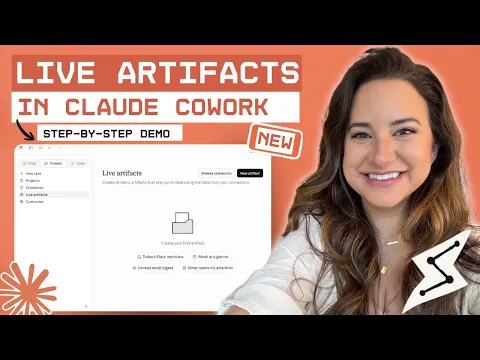
Meanwhile, Anthropic’s Claude Cowork guide explains how non-technical teams delegate multi-step document drafting and file synthesis without touching a command line. In her walkthrough, AI educator Allie K. Miller shows how Live Artifacts pull fresh client rows directly from Google Sheets and Fireflies transcripts into dashboards.
Unlike ephemeral chat threads, Anthropic’s persistent Projects store reusable files, style guides, and project memory separately per client account. That isolation means Tuesday’s Q3 pricing template does not bleed accidentally into Friday’s HR policy memo when you return to finish formatting.
Think of linear chat like texting edits to a printer while Canvas works like marking a single margin note on paper. If you need help cleaning the source spreadsheet before connecting it, read our guide to clean messy spreadsheets without brittle formulas.
Scoped Agents for Non-Coders vs Rule-Based Automations
Non-technical staff frequently confuse custom tool builders—which build team calculators on demand—with rule-based automations that reliably move routine records fifty times a day. Matching flexible builders like Claude Cowork or Lovable with rule-based Zapier workflows prevents both surprise software crashes and erratic invoices.
- Custom builders for shared team apps: Workspaces like Claude Cowork let non-specialists run multi-step local folder tasks without typing command-line code, while Lovable turns plain-English descriptions into hosted web forms and databases without manual coding.
- Fixed rules for repetitive admin work: According to Zapier’s business AI agent guide, rule-based workflows fire from fixed app events or schedules so identical inputs always run identical logic—letting AI step in solely for short classification.
- Why two prompts never guarantee identical bookkeeping: Prompt-triggered chat agents re-interpret instructions each run, meaning a weekly billing tally should live in fixed spreadsheet rules or scheduled automations rather than ad-hoc chat guessing.
A fast tie-breaker is the frequency-and-variance test. When a budget calculator or intake form changes every month, let an internal app builder draft a clean prototype in twenty minutes; when the exact same five-step invoice handoff runs fifty times a day, lock it inside fixed Zapier or Make triggers.
Teams save hours by keeping creative prototyping flexible while locking recurring finance handoffs behind predictable rules. Whenever your files involve source-heavy contracts or long lectures, verify PDFs and two-hour video sources with NotebookLM before automating anything downstream.
Folder Permissions and Simon Willison’s Lethal Trifecta
Giving an AI agent permission to organize desktop folders, read incoming emails, and message external tools creates hidden security risks even when every prompt looks harmless. Enforcing dedicated working folders, strict Read-versus-Write boundaries, and zero external auto-sending neutralizes hidden prompt-injection traps (malicious commands tucked inside incoming files) before they reach real company data.
According to Anthropic’s Claude Cowork safety documentation, failures hinge on two settings: what an agent can read and what Write tools let it change. When Desktop tasks access local files, Anthropic recommends connecting one dedicated working folder—never your whole computer or user folder—and keeping offline backups.
Anthropic’s safety rules also spotlight two live warning signs to watch while an agent works: accessing files or websites you never named, or creeping beyond the original task boundary. Spotting either drift early lets you pause execution before an automated cleanup touches the wrong folder.
Software engineer Simon Willison described the Lethal Trifecta security warning to explain why well-meaning assistants leak secrets. If an agent combines three traits simultaneously—private data access, untrusted external text (like vendor PDFs or web pages), and an outward communication channel—hidden instructions inside content can trick it into sending private files outside.
- Create a separate working folder (such as
AI-Review-Copy): Copy only the five invoices or slides needed for today’s task inside it so a confused agent cannot touch archived payroll folders. - Keep scheduled cloud tasks non-sensitive: Anthropic cautions that scheduled Cowork tasks run remotely on cloud servers, making them unsuitable for confidential HR records or consequential actions without review.
- Break at least one leg of the trifecta: If an agent summarizes untrusted vendor emails, strip its permission to email outside contacts or query confidential internal folders automatically.
Treating an agent like an enthusiastic summer intern—welcome to sort photocopies in the conference room, barred from holding the company bank login—keeps routine mistakes cheap.
What Real-World Studies Reveal About AI Speed and Team Agents
Independent field reports and randomized trials show a wide gap between flashy agent demos and everyday workplace throughput. Studying Every.to’s team agent experiment, METR’s timing trial, and Stanford HAI’s OSWorld benchmark helps teams avoid buying noise instead of measurable speed.
In a candid Every.to team AI agent postmortem, writers Brandon Gell and Willie Williams describe giving every staffer a personal AI bot built on the open-source OpenClaw agent tool. Weeks later, those personal bots caused more friction than speed—falsely claiming they lacked Notion or email access they already had, while one teammate’s Slack bot (“Zosia”) jumped into channels uninvited with cryptic off-topic replies.
Empirical timing studies echo that caution. In METR’s 2025 randomized controlled trial, experienced developers working on familiar code actually took 19% longer with early-2025 AI tools—even while guessing they were roughly 20% faster. METR’s February 2026 update adds that evolving agent workflows required redesigning the trial.
That perception gap in METR’s trial happens because typing slows you down less than reviewing plausible mistakes. Before buying team-wide seats, time three real Friday deliverables with a plain stopwatch against your old baseline rather than trusting first impressions.
Meanwhile, Stanford HAI’s 2026 AI Index Report logs 88% organizational AI adoption alongside documented incidents jumping from 233 to 362. Even after agent success on real desktop tasks in OSWorld climbed from 12% to about 66%, agents still fail roughly one in three attempts.
That one-in-three failure rate explains why Every.to retired open-ended personal bot pets in favor of shared team agents assigned narrow, inspectable jobs. You can also track recent Cowork and model quota updates in our AI Market Radar as enterprise features evolve.
3-Step Routine With Human Checkpoints Before Any Agent Acts
Unverified AI speed is just fast rework waiting for Tuesday morning. Following a three-step workflow across dedicated Chat projects, side-by-side Canvas or Cowork, and isolated mini-app builders—paired with explicit human verification checkpoints before anything saves or sends—turns probabilistic guesses into dependable team output.
Draft criteria in Chat before opening any folder
Start in plain Chat to list rules, edge cases, and verification criteria without touching live spreadsheets or client files.
Act as an operations analyst. Before touching any files, list the exact criteria and 5 edge cases for reviewing these monthly vendor quotes. Stop and await approval.Move approved structure to Canvas or a staged Cowork folder
Copy only anonymized drafts into a dedicated `AI-Review-Copy` folder or Canvas block, reviewing side-by-side edits instead of overwriting originals.
Read only files inside AI-Review-Copy. Build a comparison table of pricing, delivery windows, and missing terms in a new draft artifact. Flag MISSING explicitly; change zero source files.Human sign-off before Zapier or external send
Verify every figure against source PDFs and lock recurring notifications inside fixed rule-based workflows requiring manual review on exceptions.
Summarize the 3 riskiest rows from this draft and output a checklist of fields I must manually verify before sending to finance or triggering our Zapier rule.- Verify numbers at the source: Match currency totals, contract dates, and tax rates line by line against the raw PDF.
- Confirm folder and recipient scope: Double-check that outputs wrote only to
AI-Review-Copyand zero client addresses slipped in. - Inspect
MISSINGflags first: Look at gaps the AI marked absent before accepting smooth connecting sentences around them.
If you catch an assistant accessing unexpected sites or expanding task scope unasked, revoke Write permissions immediately and fall back to read-only Canvas review. To examine how we validate every software claim, read our primary-source verification methodology.
Frequently asked questions
What is the practical difference between AI Chat and Canvas or Claude Cowork?
Standard Chat outputs linear replies inside a scrolling thread, so editing paragraph three often forces full regeneration. Canvas (in ChatGPT and Google Gemini) opens an editable document beside the chat, while Claude Cowork extends autonomous multi-step file workflows without typing terminal commands.
Is Claude Cowork safe to connect to my whole hard drive?
No. Anthropic recommends creating a dedicated working folder rather than granting broad folder access, keeping backups of critical files, separating Read tools from Write actions, and keeping confidential records out of scheduled cloud tasks.
What is Simon Willison's Lethal Trifecta in plain English?
It is the risky overlap of three agent capabilities at once: access to private data, exposure to untrusted external content (like third-party emails or web pages), and ability to send messages outside. Breaking any one leg prevents hidden prompt injections from leaking data.
When should a non-technical team pick Zapier over an AI agent?
Pick fixed rule-based Zapier or Make workflows whenever a trigger (such as a paid invoice or form entry) must execute the exact same routing steps hundreds of times predictably. Reserve prompt-triggered AI agents for open-ended synthesis checked by a human.